
How to set Live Wallpapers on PC
The Animated Wallpapers for PC allow us to customize our Windows desktop with Dynamic or Moving Wallpapers. With the help of a Software (that we are going to show you in this article) and a selection of animated backgrounds (that you can find on our website) you will be able to take your desktop customization to the next level.
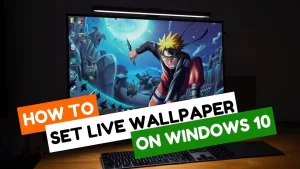 We have different options when it comes to putting moving wallpapers as wallpaper on our Windows PC, both paid and free. In this article you will know the two best software for this purpose, one of them totally free and the other paid (although quite affordable).
How to set live animated wallpapers on PC
Although the specific steps to put an animated wallpaper on Windows are different for each of the software (which you can find in their own separate article), these are roughly the steps needed to achieve this goal:- Download Lively Wallpaper or Wallpaper Engine for Windows and install them on your PC.
- Browse and download the wallpapers you like the most on your PC. You can find hundreds of them on our website, but any video in MP4 format will be useful for this purpose. For example, you could download any video you like from Youtube and set it as wallpaper (or, as we have already mentioned, include it directly using only the URL of it in Lively Wallpaper).
- Open the Lively Wallpaper Software.
- Open the Software you have chosen and add the new background following the steps that we indicate in each of its guides.
How to set an animated wallpaper in Windows step by step
Unlike Mac, which has its own tool for this purpose (with some pretty cool features), Windows doesn't have any built-in options as standard. Therefore, the first and most essential thing when it comes to setting a wallpaper is to choose the software we will use for it. The 2 most used (and ultimately best) options are Lively Wallpaper and Wallpaper Engine. However, there are some differences between the two:- Lively Wallpaper: It is a free option that allows us to put videos as wallpaper on our PC. It is a completely Open Source application, which does not have any paid functionality. It is the software most chosen by those who do not want to spend money, since it fulfills without problem all the necessary functions to customize our wallpaper with videos. Among the additional options that can be highlighted of this software, it is worth noting that it allows you to import videos directly from Youtube to act as our animated background, in addition to offering the option to import even webs.
- Wallpaper Engine: In many ways, it could be called the leading software as far as animated backgrounds are concerned. With a cost of 3.99 euros on Steam, it is the payment option par excellence within the Animated Wallpapers. If you wonder if it is worth buying, the truth is that the amount of additional features included, accompanied by the large number of animated backgrounds that can be found in your Workshop (created and uploaded by other users), make it a totally profitable purchase if you really are going to use animated backgrounds assiduously.